


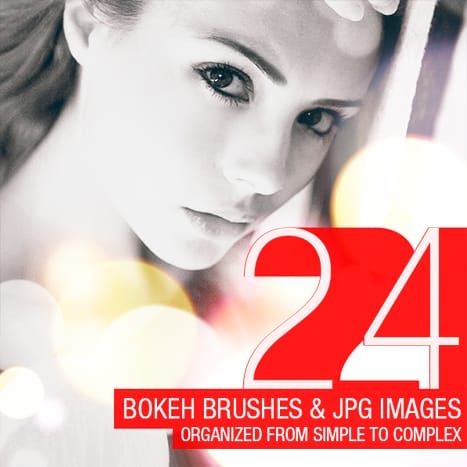
If you liked our Lomo Light Leaks, then you’ll love these large bokeh brushes by SparkleStock. They make it easy for you to add light-leak-like bokeh to your photos and come in both 5000px Photoshop brushes and JPEG images for your convenience. Try them out!
Bokeh Brush Preview
There are 12 color bokeh brushes. If you’re a SparkleStock member, you can pick from 18 bokeh brushes! They come in multiple sizes; 625, 1250, 2500, and 5000 pixels. In addition, you get them in pre-colored JPEG images to save you time. Drag and drop them into your document then set the blending mode to Screen or Linear Dodge – it’s that easy!

We recommend using these bokeh brushes with photos that have some sort of retro photo effect applied. Here are some photo effect tutorials we recommend:
- Quick Tip: Access the Hidden Photographic Toning Gradients in Photoshop CS6
- Quick Tip: Retroize Your Photos in Seconds
- Photoshop Video Tutorial: 3 Retro Photo Effects
- Photoshop Video Tutorial: 5 Easy Photoshop Photo Effects
- How to Make Your Photos Look Hipster with Photoshop

These bokeh brushes work great with portraits. Paint with your brush and layer set to linear dodge using different colors. Combine it with some color lookup filters () to give it a photo retro effect. You can combine the Futurstic Bleak and Film Stock color lookups for the best results.


15 responses to “Freebie: 12 Large Bokeh Brushes”
cannot find a download button
Sorry link has been fixed!
Hi, the links are broken :/
Thanks for letting us know! The links have been fixed :)
Awesome! I love getting free photoshop resources! Thanks.
I’m looking forward to using this in my next design project! Thanks for sharing!
Great. Thank you so much.
I really like your website, the hope can become fans of your web site
thanx
like a bombastic
wow nice …it very good ,how to do it sir ?
thts gr8 !
Cud u checkout my photoshop works in n give feedback :-)
amazing work…..
photo shop
cool thanks!!!!!