
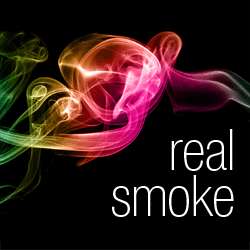
Create abstract art with this set of 108 Photoshop brushes of real smoke. These naturally shaped smoke brushes can be used individually or stacked on top of another.
Real Smoke Photoshop Brushes Preview


Download Real Smoke Photoshop Brushes
Free Version
- Made with real smoke (not digital)
- 109 Photoshop brushes
- No gradient map presets
- 1250px resolution
Pro Version
- Made with real smoke (not digital)
- 109 Photoshop brushes
- 10 gradient map presets
- 2500px resolution
45 responses to “Real Smoke Photoshop Brushes”
-

감사합니다
-
감사 합니다.
고맙습니다 -
THANK U.
-
Thanks~!
-
감사드립니다!
-
Thanks
-
.nice
-
Gracias – Thank you
-
Thank you.
-
THANK YOU
-
Thank you
-
thanks
-
Thank You
-
Muchas gracias,
-
Thank You it’s very good post I love you, thank you so much
-
In Photoshop cs3 work ?
Brush smoke pelangi/color ? -
good
-
Thank you very much :) Before this I was spending so long adding my own smoke.
-
wonderfuuuuuull
-
THANK you
-
no me aparecen los pinseles :( como ago para poder utilsarlo
-
thakns
-
lo pondre en practica y ver la calidad del material, mil gracias
-
Free brushes cannot be downloaded anymore.
-
Link seems to be working for us. Here’s the direct link in case you’re clicking on the wrong button: https://www.photoshoptutorials.ws/downloads/abr/Real%20Smoke%20Brushes%20by%20SparkleStock.zip
-
-
hey there,
I tried downloading the free version but it’s a zip called 16 Explosion Brushes and it contains fire/explosions but no smoke. Could you please re-upload the smoke brushes?
Thanks!
-
Thanks! Link has been fixed :)
-
-
:) grazie mille..molto belli..
-
I have a plan of creating a free wallpaper website,can i use this “Real Smoke Photoshop Brushes” to create wallpaper and they download for free wallpaper?
-
good……
-
Vengo de T! ,:headbang: muy bueno
-
Your brushes were used to make this famous picture: http://jonyiveredesignsthings.tumblr.com/image/52776858969
-
bakano estos efectos
-
xd
-
Hmmm.. both the Small (675 pixels) and the Medium (1250 pixels) are of a set of rain drops called “Drips”. Both the zips are called “real Smoke, as is the .abr file – but it’s drips. Try it and reup, please!
-
I Download already this BRUSHES. How the SMOKE turns into a RAINBOW? Can u give me a Tutorial? Cuz i want it to create my Facebook Cover w/ Blending Photo. :)
-
Thanks for downloading our brushes! See this video to learn how to colorize it with the rainbow effect:
http://youtu.be/2DK8IgS8fng?t=5m32s
-
-
I DOWNLOADED BRUSHES BUT CANT GET THEM TO SHOW UP IN MENU IN PHOTOSHOP BRUSHES….HELP
-
You can copy it to your Photoshop preferences folder. It’s located in your Photoshop > Presets > Brushes folder.
http://www.youtube.com/watch?v=2DK8IgS8fng&list=PL3C709F0BBCCF5B2C&index=1
-
Try the instructions here to install Photoshop brushes: https://www.photoshoptutorials.ws/photoshop-tutorials/basics/install-photoshop-brushes/
-
-
I love you, thankyou so much!
-
Awesome
-
Thank you <3
-
just what i needed. thank you! =)
-
hello
thank
its very gooooooooood


Leave a Reply